If your dispatcher is still texting drivers for updates, your warehouse team is counting inventory by hand, and nobody can tell you where a shipment is without three phone calls, you don't have a logistics problem. You have a logistics management system problem, or more precisely, the lack of one.
A logistics management system is the software that ties fleet, warehouse, and shipment data together into one place, so the answer to "where is this order" doesn't depend on who happens to be at their desk that day. Below is what one actually does, when an off-the-shelf tool is enough, and when it makes sense to build one custom to your operation.
What Is a Logistics Management System?
A logistics management system is software that plans, executes, and tracks the movement of goods, from the warehouse floor to the customer's door. In practice, that usually covers some combination of:
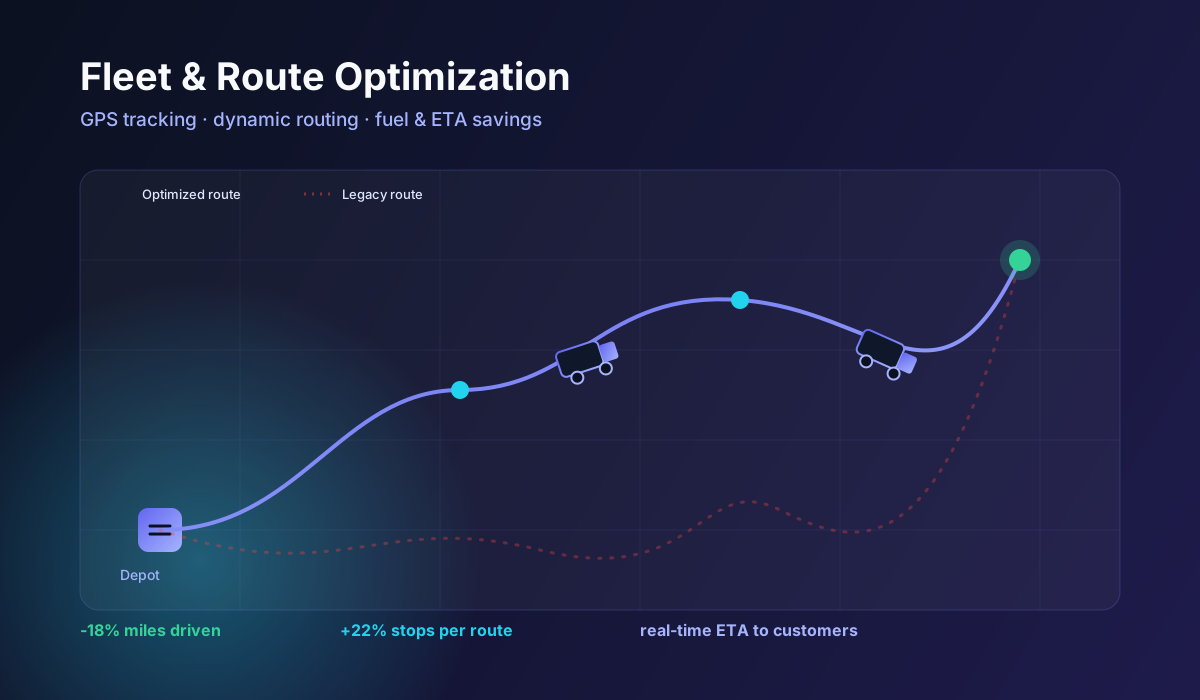
- Route planning and dispatch, so drivers get efficient routes instead of whatever order jobs happened to come in
- Fleet visibility, tracking vehicle location, status, and maintenance in real time
- Warehouse and inventory management, keeping stock counts accurate without a physical recount
- Order and shipment tracking, giving both your team and your customers a single source of truth
- Carrier and freight management, comparing rates and booking with third-party carriers
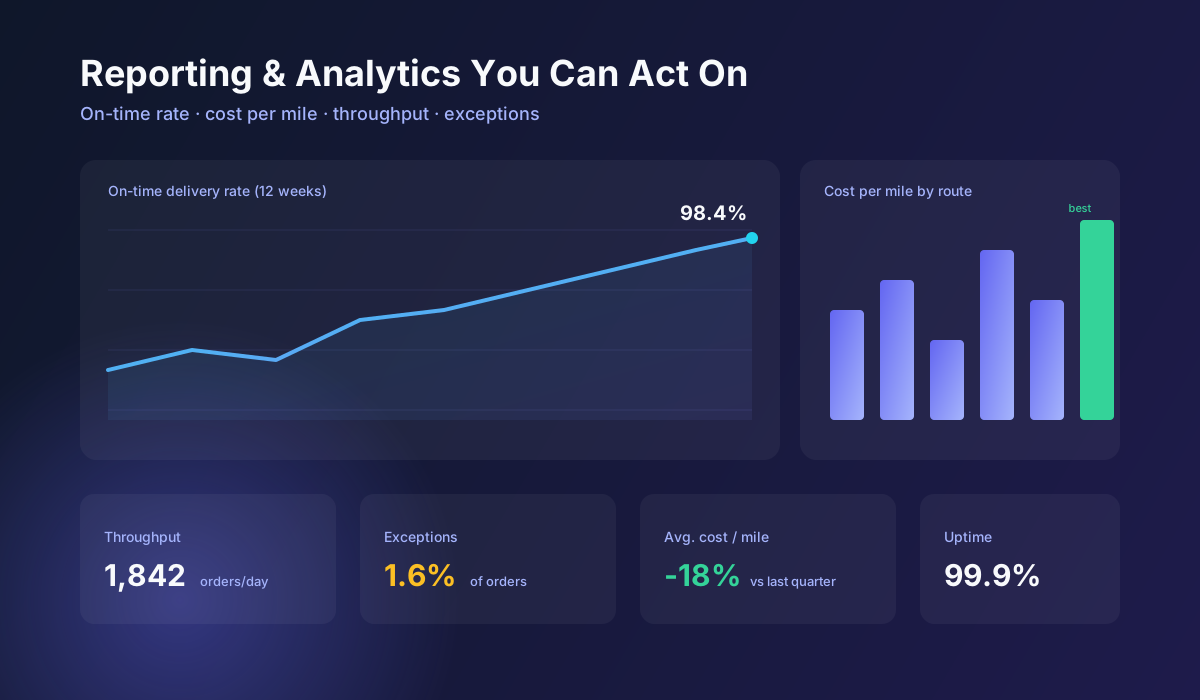
- Reporting, turning all of the above into numbers you can actually act on, on-time rate, cost per mile, throughput
Some businesses need all of this in one platform. Others only need one or two pieces connected to tools they already run. Either way, "logistics management system" isn't one specific product, it's the category, and what belongs inside it depends on your operation.
Off-the-Shelf vs. Custom Logistics Management Systems
There are two ways to get one, and most businesses default to an assumption about which they need without actually weighing it:
| Off-the-shelf platform | Custom-built system | |
|---|---|---|
| Speed to launch | Fastest, days to weeks | Slower, weeks to months |
| Cost to start | Lower upfront, ongoing subscription | Higher upfront, no per-user fees |
| Fit to your process | You adapt to the software | The software adapts to you |
| Integrations | Limited to what the vendor supports | Built for your exact stack |
| Best for | Standard workflows, single location, fast start | Multi-location, unusual workflows, or outgrown generic tools |
For plenty of businesses, a well-configured off-the-shelf platform is genuinely the right call, cheaper, faster, and good enough. The custom route earns its cost when your operation has outgrown what a generic tool can flex to.
Signs You've Outgrown a Generic System
A short gut-check, before you commit to either path:
- Are you running multiple disconnected tools, one for routing, another for inventory, a spreadsheet for the rest, because no single platform covers your workflow?
- Does your team build workarounds to force the software to match your actual process, rather than the other way around?
- Are you paying per-seat or per-location fees that scale badly as you grow, when a custom system would cost the same regardless of headcount?
- Do you operate across multiple warehouses or a large fleet, where generic tools start to break down on scale and multi-location visibility?
- Is your data locked inside a vendor's platform, making it hard to build the reporting or integrations you actually need?
If most of that sounds familiar, a custom logistics management system is worth scoping, effectively a custom software development project built around your fleet and warehouse operations specifically. If you're just missing a system altogether, start with a good off-the-shelf platform first, it's a smaller bet.
What's Included in a Custom Logistics Management System
A properly scoped custom build typically includes:
- Route optimization, dynamic, multi-stop planning based on traffic, delivery windows, and vehicle capacity, not a fixed route list
- Fleet management, live GPS tracking, dispatch, and maintenance scheduling in one dashboard
- Warehouse and inventory management, real-time stock levels, barcode or RFID scanning, and automated reorder points
- ERP and EDI integration, connecting to platforms like SAP, NetSuite, or Oracle, and EDI documents (850, 856, 810) so data doesn't need re-entry
- Real-time tracking, GPS and IoT-based visibility into shipments and, where needed, temperature-sensitive cargo
- Custom reporting, on-time delivery, cost per mile, throughput, and whatever KPIs actually matter to your business
The quality difference between a real custom system and a rebadged template shows up in how connected these pieces are. A route optimizer that doesn't talk to your warehouse system is still two disconnected tools sharing a login page.
Custom Logistics Management System Cost: Realistic Ranges
Cost depends heavily on scope, so treat this as a general planning range rather than a quote:
| Project scope | Typical range |
|---|---|
| Single module, e.g. route optimization or a warehouse dashboard on top of existing tools | $8,000, $25,000 |
| Mid-complexity, fleet + warehouse + one or two integrations | $25,000, $75,000 |
| Full platform, multi-location, deep ERP/EDI integration, custom reporting | $75,000, $200,000+ |
Get a scoped estimate before assuming either end of that range, the biggest cost driver is almost always the number of integrations, not the interface.
The Build Process, Start to Finish
- Discovery and process mapping, understanding your fleet, warehouse, and order flow, and where the current setup breaks down
- System architecture, designing the data model and integration plan (ERP, EDI, carriers) before writing code
- Build in sprints, agile development with working software to review at every milestone, not a single delivery at the end
- Data migration, moving historical shipment, inventory, and customer data over cleanly
- Testing, running peak-volume and exception scenarios before your team relies on it
- Rollout and training, getting dispatchers and warehouse staff using it correctly from day one
- Ongoing support, because logistics networks change, and a system that never gets adjusted drifts back into the same gaps it replaced
How to Choose a Logistics Software Development Partner
- Integration depth, not just a nice dashboard. A logistics system that doesn't talk to your ERP and carriers is a nicer spreadsheet, not a management system.
- They ask about your network before proposing a platform. Route structure, warehouse count, and order volume should shape the recommendation, not the other way around.
- Real-time is treated as core, not optional. Batch-updated data is a step behind email; a modern logistics management system runs on live GPS, inventory, and order status.
- They've handled scale. Ask about the largest fleet or warehouse count they've built for, multi-location logistics has failure modes single-location tools never hit.
- Support doesn't end at launch. Your network changes, new routes, new warehouses, new carriers, and the system needs to keep up.
Bottom Line
Most businesses don't need to build a logistics management system from nothing, they need one that finally connects the fleet, warehouse, and order data currently scattered across five tools and a shared spreadsheet. Whether that's a well-configured off-the-shelf platform or a fully custom logistics software build depends on how far you've outgrown generic tools, but the goal is the same either way: one system your team actually uses, not one they route around.
If you're weighing custom development against fixing what you have, get in touch for a free logistics systems audit, we'll tell you honestly which one you need before you spend on either.